
 By Emma Ellis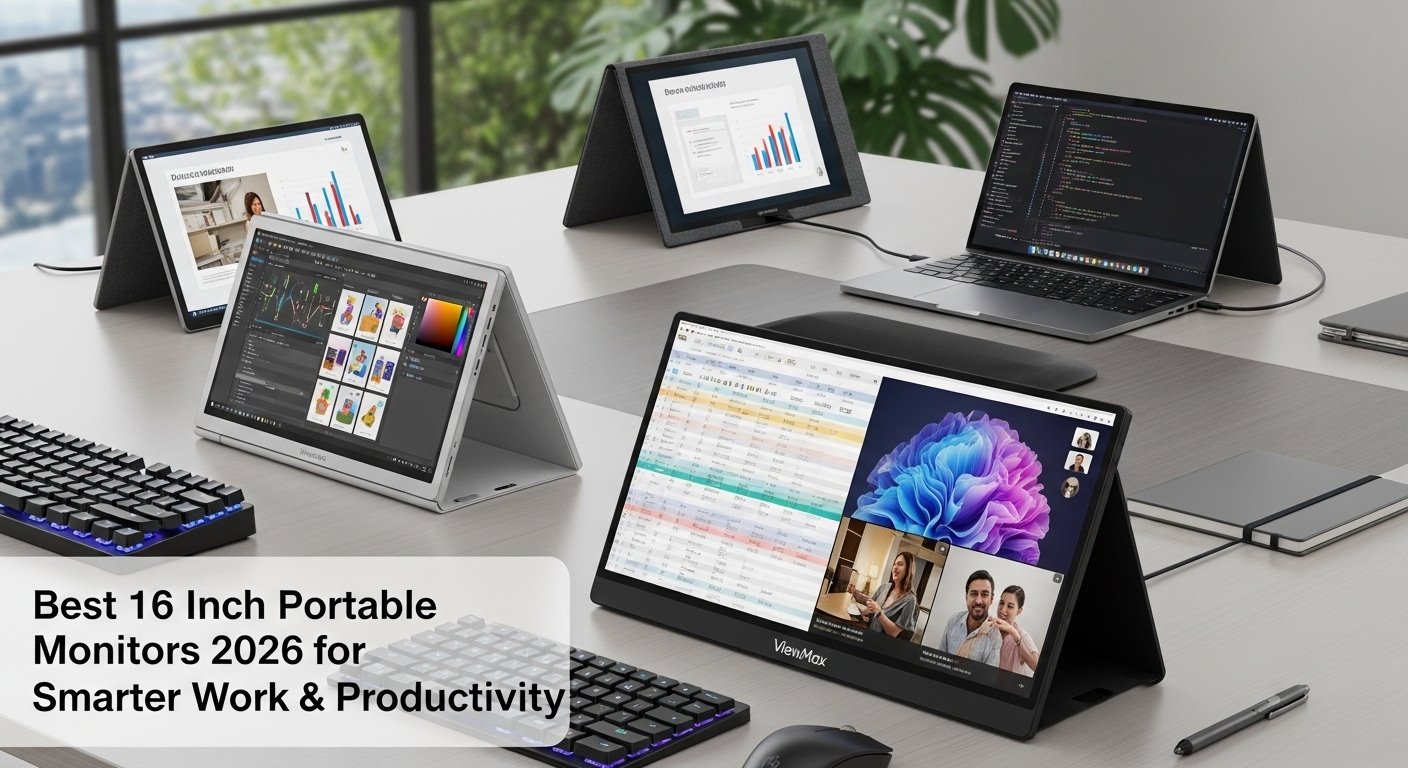
Work has become more flexible, but most laptop setups still haven’t caught up.
While exploring different remote work setups and productivity workflows, one issue keeps coming up: limited screen space. A single display forces you to switch between tabs, tools, and tasks, which slows everything down.
That’s exactly why the demand for the best 16-inch portable monitors in 2026 is growing. As smart upgrades for modern professionals, they offer a practical balance between portability, screen space, and efficiency.
What Is a Portable Monitor and How Does It Work
A portable monitor is a lightweight external display that connects to your laptop, tablet, or smartphone using USB-C or HDMI.
These monitors are flexible, unlike traditional monitors. It allows you to create a dual-screen or multi-screen setup instantly, so you don’t have to switch screens constantly.
Types of Portable Monitors
There are several types of portable monitors, each designed for specific needs and uses. So let’s dive into the details of the most popular types which are available today:
USB-C Monitors
USB-C monitors are widely used due to their ease of connection and versatility. They can be plugged directly into a laptop or smartphone with a USB-C port for both power and display transmission. This type of monitor is ideal for those who prefer a single cable solution and fast, reliable connectivity.
HDMI Monitors
HDMI monitors are another great option, particularly if you’re connecting the monitor to a gaming console, PC, or TV. With an HDMI port, these monitors provide high quality video and audio signals, making them perfect for gaming, video editing, or watching movies.
Touchscreen Monitors
For those who need more interactivity, touchscreen portable monitors are a game-changer. These monitors allow their users to easily navigate and control easily through touch gestures, which is beneficial for professionals working on design or presentations, or anyone who prefers a more hands on experience.
What key features to look for in a 16 Inch Portable Monitor?
Consider performance-impacting features before choosing the best 16-inch portable monitors.
1. USB-C connectivity for simplicity
With the 16-inch USB-C portable monitor, you get a faster setup, fewer cables, and better compatibility with modern laptops.
2. HDMI Support for flexibility
HDMI lets you connect older devices, gaming consoles, and other hardware to a 16-inch portable monitor.
3. Display Quality & Resolution
Premium 16-inch portable monitors should have Full HD resolution for sharper visuals.
4. Slim and portable design
Slim 16-inch portable monitors are easy to carry and fit perfectly into mobile workstations.
5. Multi-screen Capability
Dual-screen portable monitors or multi-screen setups reduce switching between tasks.
Best 16 Inch Portable Monitors of 2026
When evaluating the best 16-inch portable monitors 2026, it’s important to look beyond basic screen extension.
Solutions like the Monduo Pro Duo represent a more advanced approach. Instead of acting as just a laptop screen extender, it transforms your device into a multi-screen workstation, which is ideal for productivity-focused users.
Best Premium Option for Advanced Users
For those looking for a more powerful setup, the Monduo Pro Duo offers features designed for real productivity.
As a premium 16-inch portable monitor, it combines performance with flexibility:
- Clear workspaces with 2K resolution (2560×1600)
- Optimal brightness (~500 nits) for comfortable viewing
- For content-related tasks, 100% DCI-P3 color accuracy is required
- Smooth performance with 144Hz refresh rate
- Broader compatibility with USB-C and HDMI
- Support for pass-through charging
As a result, it becomes much more than just an HDMI portable display; it becomes a complete productivity tool.
Common Mistakes to Avoid
Avoid the following mistakes when you choose a portable 16-inch monitor:
- Prioritizing price over quality
- Ignore USB-C or HDMI compatibility
- Bulky designs are best
- Overlooked brightness and display clarity
Choosing a high quality monitor should simplify your workflow, not complicate it.
Why Choose Us?
In a space filled with endless product recommendations, we focus on clarity over confusion.
Instead of just listing features, we explain how tools fit into real workflows. Each insight shared here, is based on practical knowledge of remote work challenges, multitasking environments, and productivity optimization.
The foundation of our approach is:
- Recommendations based on user insights, not hype
- Real productivity, not just specifications
- Making simple, actionable decisions about complex technology
- Using tools such as the Monduo Pro Duo within real world scenarios
Our goal isn’t to push a particular product, but rather to help you choose what will genuinely enhance your workflow.
Final Thoughts
The way we work is evolving, and your setup should evolve with it. Choosing from the top 16-inch portable monitors isn’t just about adding another screen. It’s about creating a workspace that supports your work style.
Whether you go for a simple dual-screen portable monitor or an advanced setup like the Monduo Pro Duo, the goal remains the same:Work more efficiently with less friction. Ready to take your workspace to the next level? Discover how the Monduo Pro Portable Monitor can maximize your productivity, creativity, and comfort, order yours today! Shop Now & Explore More.
FAQs
1. What is the best 16-inch portable monitor in 2026?
The best 16-inch portable monitor depends on your workflow. For basic use, a USB-C portable monitor with Full HD is sufficient. However, for advanced multitasking and productivity, premium options with higher resolution and multi-screen capability, like the Monduo Pro Duo, offer a more efficient setup.
2. Are 16-inch portable monitors worth buying?
Yes, a portable 16-inch monitor is worth buying if you regularly multitask or work on a laptop. It provides more screen space, reduces tab switching, and improves focus. Many professionals now consider a portable external display essential for remote work and productivity.
3. What features should I look for in a portable monitor?
When choosing from the top 16-inch portable monitors, focus on features that directly impact usability:
- USB-C connectivity
- HDMI support
- High resolution (Full HD or 2K)
- Slim and lightweight design
- Brightness and color accuracy
These features ensure your portable monitor for laptop setup actually improves your workflow instead of complicating it.
4. Is USB-C better than HDMI for portable monitors?
USB-C is more convenient because it can handle power, video, and data through a single cable. However, having both USB-C and HDMI is ideal, as it ensures compatibility with a wider range of devices.
5. Can a portable monitor replace a desktop setup?
For many users, yes. A dual-screen portable monitor or multi-screen setup can provide a desktop like experience, especially when combined with a laptop. It’s a practical solution for remote workers and digital professionals.